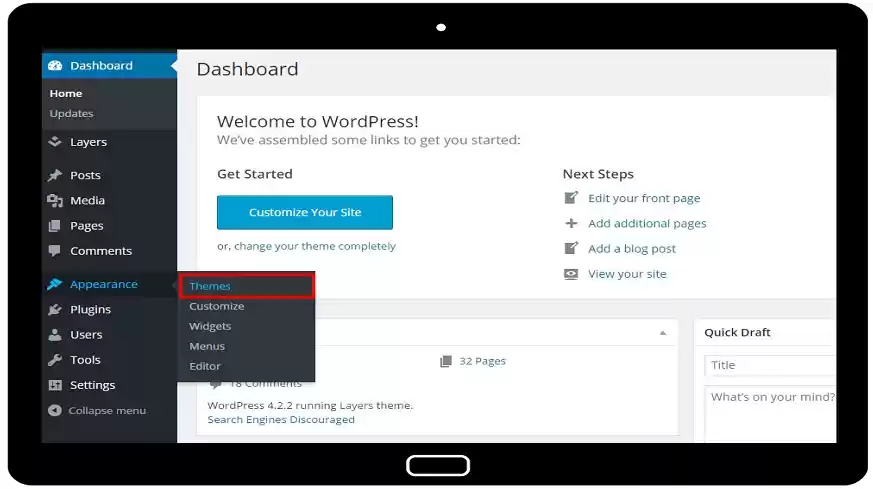
You would already know that around 40% websites are built on WordPress. One of the reasons why it is so is because even people without coding and programming knowledge are able to build their websites and blogs on WordPress.
If you can work the Internet, then you can build your own website on WordPress. It is as easy as that. WordPress has several default functions that make it easy for most people to set up their website.
However, there are ways to make these default functions customizable.
With basic PHP functions, you can easily customize the default functionality that comes with WordPress. You can start with the admin page if you are not very familiar with the other technicalities.
We’ll dig into more of what and how you can customize default functionality of WordPress sites.
1. Customizable Themes
With WordPress, you can make your website look like someone professional worked on it. There are thousands of WordPress themes for free download are available on the internet to make it look like a professional website.
The good thing is since it is open source software WordPress themes are customizable. You can also create a child theme so your changes are saved but will not affect the original or the parent theme.
If you take the help of a designer, you can even build a theme or customize a premium theme.
2. Customizable Dashboard
With WordPress dashboards, you can control the way your page looks. For instance, you can choose the widgets you want on your page.
You can alter the default settings for widgets and add or remove the ones of your choice. You can even disable the widget function all together if you don’t want it.
If you want to customize your dashboard further, there are plugins that can help you with it. There are a few that will help with the widget customization.
3. Using Custom Codes Instead of Plugins
Yes, it’s great that there are several plugins for each customization on WordPress and they’re all easy to install. But when you use custom codes instead of plugins, you can achieve the same goal in a simpler fashion.
With just a few lines of code, you can have what a plugin, which usually has more code than required to carry out a function. This will save you time and effort. Not to mention, managing the plugin with updates.
4. Creating a Functionality Plugin
A functionality plugin will help your website function faster and you will be able to reuse the code in other projects.
With a custom functionality plugin, you can customize the WordPress login page, add a dashboard widget, edit the items in the menu and so on. Hire a developer with basic coding skills to be able to work this out for you.
In short, other platforms might be too tricky to customize whereas, with WordPress websites, it is easy to customize themes, admin page, etc. yourself.
You can even hire a developer to go in depth and help you with more customization of your WordPress website’s default functionality.




0 Comments